Welcome to the guide for setting up and using the e-Invoice system within the AdBooks application. This module allows you to generate invoices in XML format, fully compliant with the UBL 2.1 European EN 16931 standard.
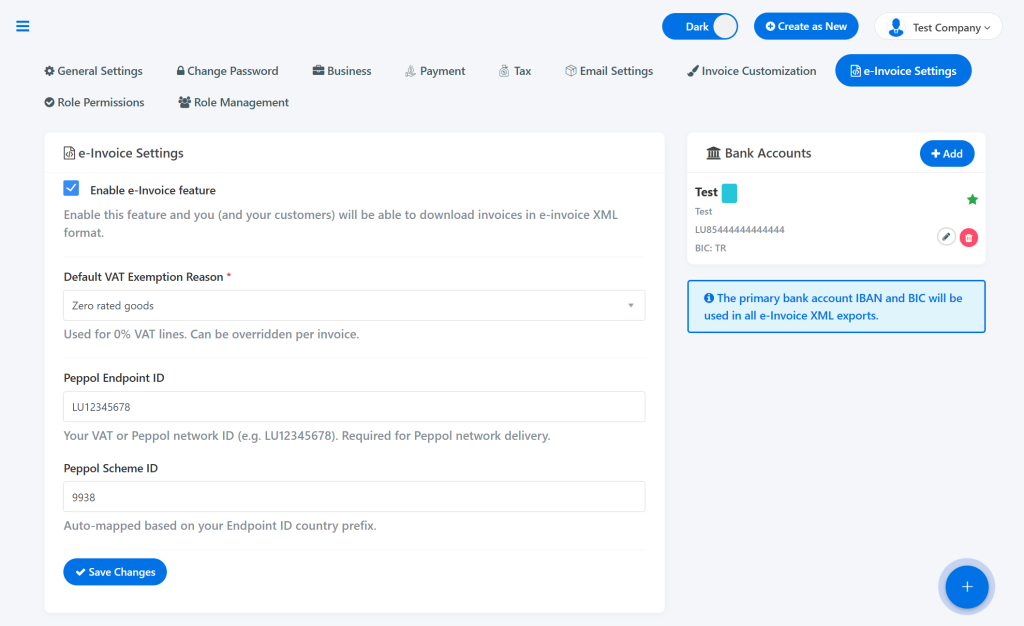
To ensure the e-Invoice system functions correctly, you must fill out the following fields:
Default VAT exemption reason * Select the default VAT exemption reason that will automatically appear on all invoices (you can change this manually for individual invoices when creating them). The available options are:
Intra-community supply
Reverse charge
Export outside the EU
Not subject to VAT
Exempt from VAT
Zero-rated goods
Peppol Endpoint ID Enter your VAT number with the country prefix (e.g., BA123456789000 or LU12345678). If your company is not VAT-registered, enter your official registration/tax ID number.
Peppol Scheme ID (ID Peppol sheme): You do not need to change this field. The system automatically generates it based on the first two letters (country code) of your Endpoint ID.
Once all data is entered, click “Save changes”.
🏦 Adding and Configuring a Bank Account (Mandatory!) #
⚠️ IMPORTANT: Without a configured default (primary) bank account, the e-Invoice export option will not be visible in the application!
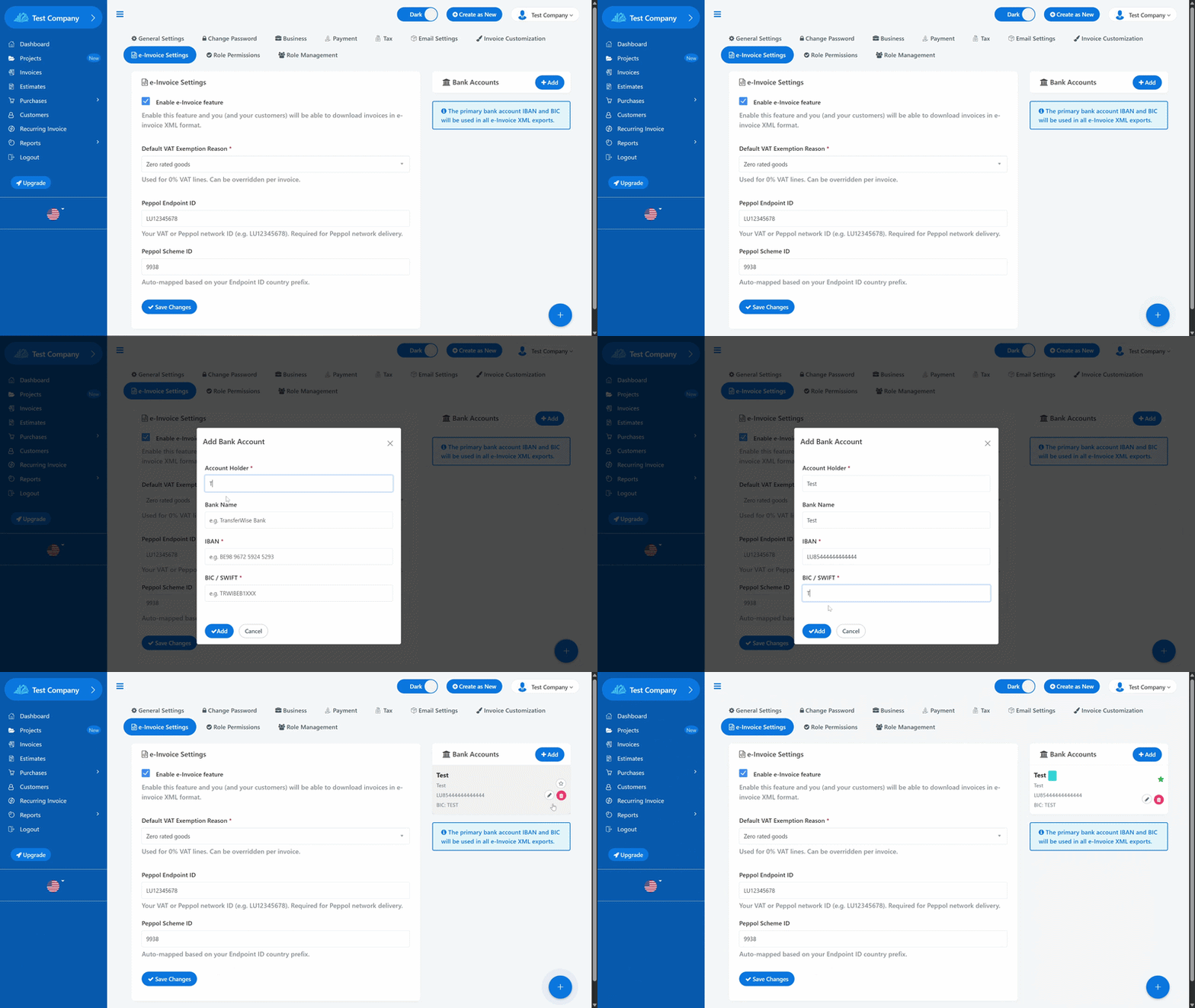
On the right side of the screen, click the “Add” button.
In the pop-up window, enter the bank account details:
Account Owner
Bank Name
IBAN
BIC / SWIFT
Click “Add” to save the account.
The Critical Step: Click on the star icon next to the added account. Once the star turns green, this account is set as the Default and will appear on all your e-Invoice XML documents.
Note: You can add multiple bank accounts, but only one can be marked with the green star as the default.
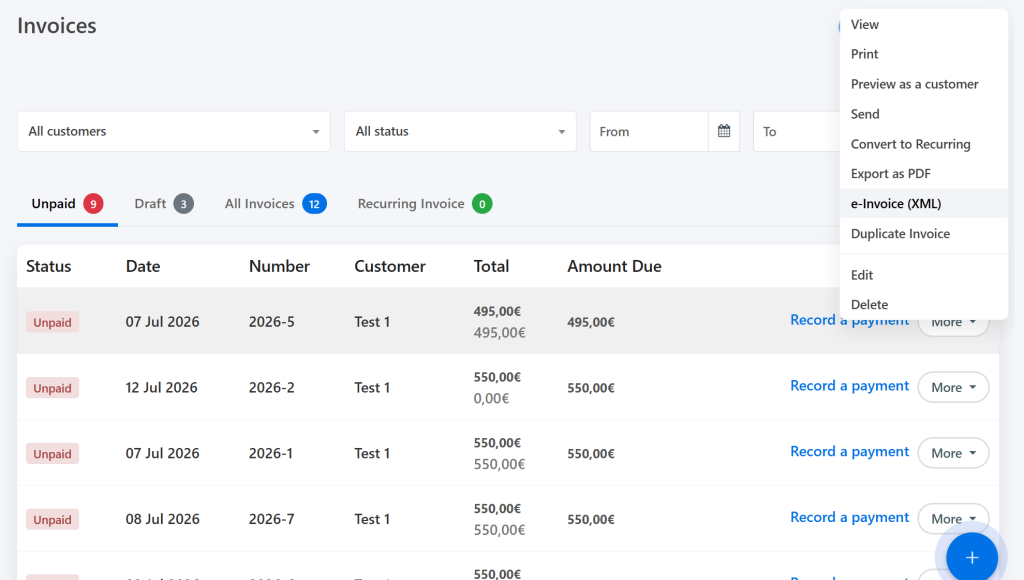
Once e-Invoices are successfully enabled and configured, a new option will appear in all locations within the app where invoices are managed.
Right below the standard “Export as PDF” option, you will see the “e-Invoice (XML)” option. Clicking this allows both you and your clients to download an e-Invoice ready for processing and transfer at the European level.
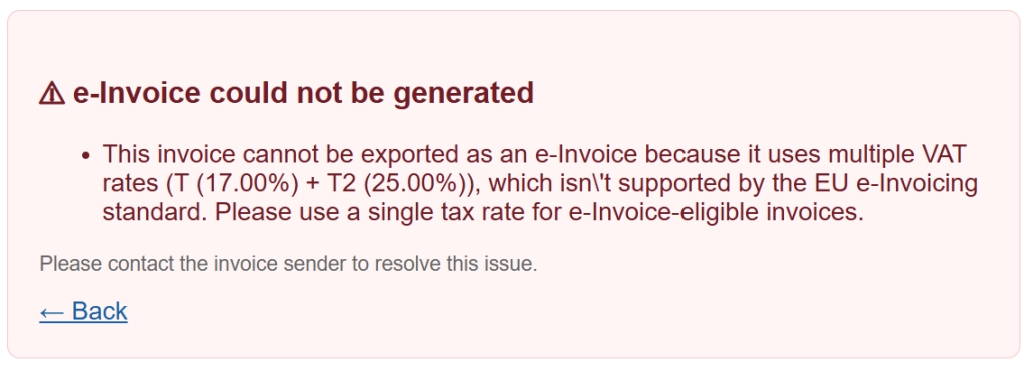
AdBooks has you covered! If the application blocks the export to the e-Invoice (XML) format, it means some mandatory legal information is missing from either the invoice itself or your company profile.
If this happens, the application will automatically display a pop-up window explaining exactly what is missing.